Browse the examples

Websites and tools, working together.

Explore a working example of the task you want to improve. Change a choice, follow the result and see what still needs a person.

Fictional companies and sample records.

Start with one useful action.

Three ways to explore the work. Fictional businesses and sample data; no client results are implied.

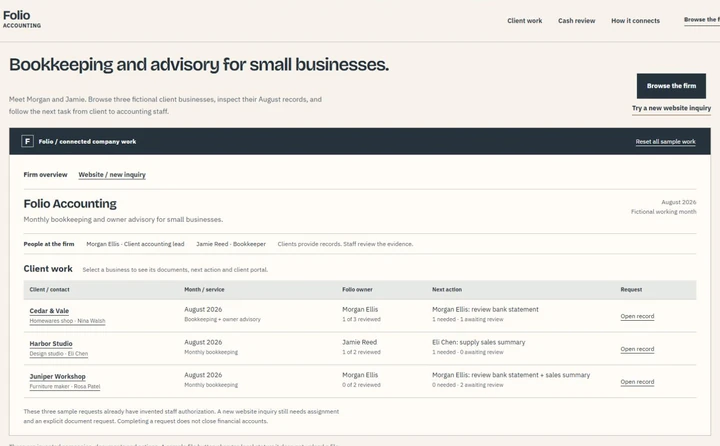
Money & follow-upFolio accounting firm, staff and three-client work roster

Know what still needs following up.

Compare an invoice with its partial receipt. See the remaining balance, then prepare a reminder for review.

Follow the money in Folio Sample records. A draft is not a sent message.
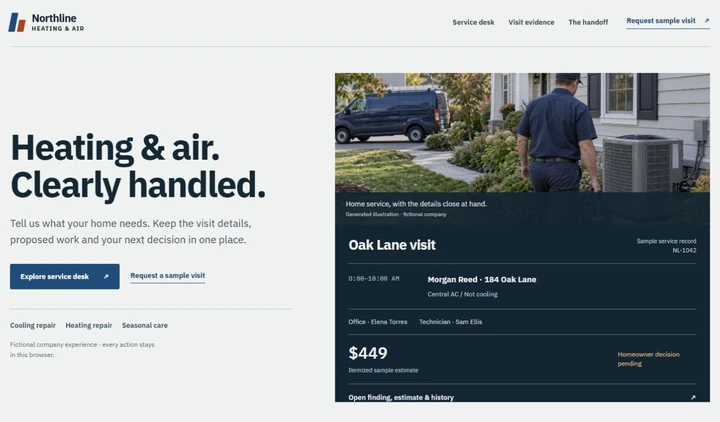
Service & decisionsNorthline heating and air company with the Oak Lane estimate awaiting a decision

Keep the visit and decision together.

Open Oak Lane’s finding and itemized estimate. Record a sample homeowner decision and follow the next step.

Explore the Northline visit Local simulation. Nothing is booked or sent.
Products & choicesVector working demonstration

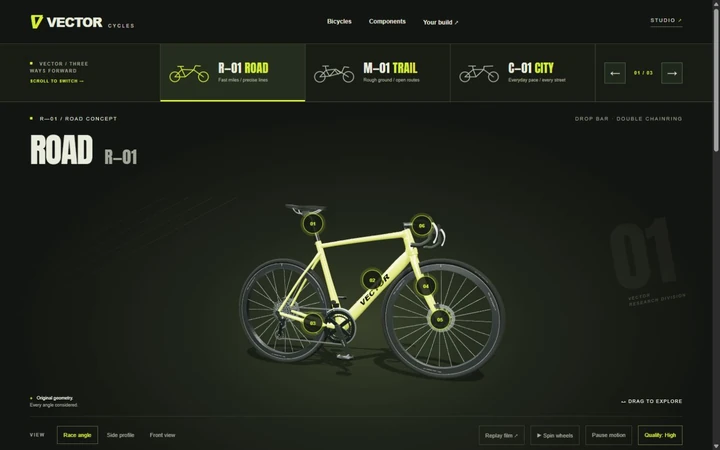
Let the customer inspect the choice.

Explore three bicycle builds, inspect their components and compare options in the interactive showroom.

Explore the Vector bikes Original design study. No live customer systems.

Watch the work, at your pace.

Vector bicycle, an original product study featured in the portfolio tour

The portfolio tour

Explore Vector, Forma and Luma in motion, see the actual controls and saved choices, then tour the connected company workflows.

Original 3D models, edited for the tour, with actual controls and saved choices. Followed by the company workflows. Silent; business connections are simulated.

Open the project tour

Read the films: actions, results and limits

The portfolio tour · 69 seconds

  1. Vector — build and inspect. The edited tour shows the original bicycle models and component choices. Explore the bikes and inspect a component.
  2. Forma — materials and mechanics. Compare finishes, inspect the cartridge and see the turntable’s layers and tonearm. The choices belong to one product configuration. Try the turntable controls.
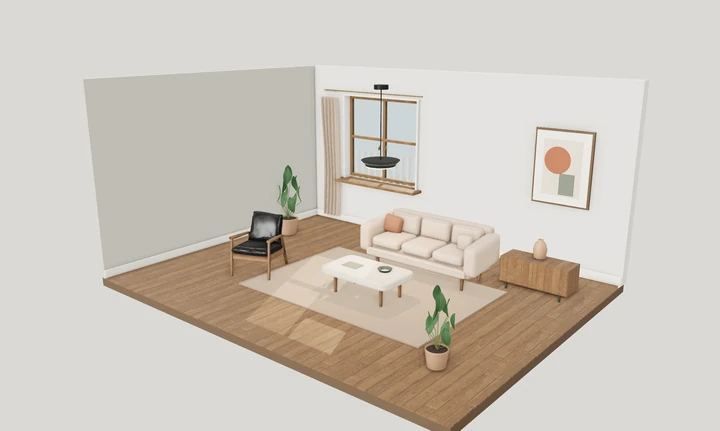
  3. Luma — room and light. Explore the room study and material choices, then carry chosen settings into a project brief. Compare room settings.
  4. Folio — what is still owed? Compare a $2,400 receipt with an $8,400 invoice. The sample match leaves $6,000 outstanding and a reminder draft to review. Compare invoice and receipt.
  5. Juniper — treatment into visit plan. Carry the chosen treatment and length into a sample visit, with the time, practitioner and price kept together. Choose a treatment and continue the visit.
  6. Northline — concern into decision. Office, technician and homeowner share a visit with a finding and estimate. A homeowner decision is still required. Open the visit evidence and estimate.
  7. Daybreak — one current home plan. Customer notes and the current cleaning scope carry into the crew’s checked, locally prepared visit brief. Preparing it does not complete the service. Follow the home plan into the crew visit.
  8. Fieldwork — dispatch into customer visit. The office schedule and customer portal show the same visit. Inspect its time, estimate and customer response. Compare dispatch and customer views.
  9. Atlas — facts beside policy. Inspect the damaged-parcel policy, case facts and prepared handoff. Reviewing the packet does not approve a replacement; these are rules-based cases and prepared answers, with no live AI. Review the case and its source.

Original models and edited demonstration footage. Fictional companies, sample records and simulated business connections. The film is silent; the interactive examples provide the controls shown.

The solutions walkthrough · 108 seconds

  1. Search into an inquiry. A Northline service example makes the visitor’s concern and inquiry step clear. The search preview is illustrative. Explore the company extensions.
  2. Campaign creative. Develop company-specific creative and its handoff. The example remains draft work, not a published campaign. Inspect the creative example.
  3. A rule in the quote desk. A sample approval threshold changes whether a quote needs owner review. Missing contact details remain visible; a follow-up stays a draft. Try the quote rules.
  4. Invoice and receipt. Compare an $8,400 invoice with a $2,400 receipt. The remaining balance is $6,000; prepare the next reminder for review. Review the partial receipt.
  5. A possible duplicate bill. Two $1,800 entries appear in a $3,600 queue. Compare their source evidence before placing the repeated entry on review hold. A hold does not delete the bill or prove a realized saving. Compare the supplier bill evidence.
  6. Changed job margin. Inspect the sample job figures and the change in margin before deciding what needs attention. Inspect the money examples.

Actual local sample controls, edited for the silent film. No payment, real approval, live software connection or message is made. Real connections and campaigns require a separately agreed scope.

Explore the full collection.

Choose a business need, then open the example. Each demonstration keeps its own company context and clear limits.

Business workflows

Keep records, decisions and handoffs connected.

Folio accounting firm, staff and three-client work roster

Folio

Accounting & advisory

Browse an accounting firm’s client work

Open three small-business clients. Inspect their documents, switch between the client portal and accounting staff, and follow what still needs an owner.
  • Browse a populated client roster
  • Supply a sample document, then review it separately
  • Match a receipt, review a duplicate bill and inspect job margin
Open the demo Try the money examples Fictional company and sample records. No real appointments, documents, payments or messages.
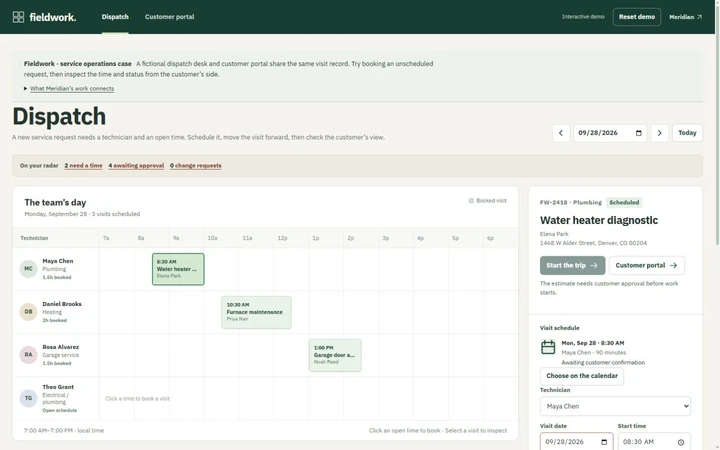
Fieldwork technician schedule and selected visit
Preview

Fieldwork

Service operations

Dispatch, scheduling and job changes

A team schedule and customer portal that share the same visit. Book a qualified technician, review a time-change request and carry the work from estimate approval to completion.
  • Find an opening without double-booking
  • Approve an estimate or request a new time
  • Follow travel, arrival and the completed checklist
Open the demo Fictional concept · no live customer systems.
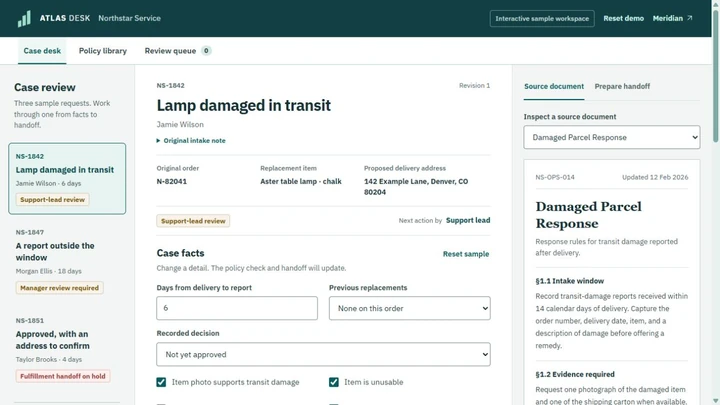
Atlas Desk sample cases, editable facts and policy evidence
Preview

Atlas Desk

Knowledge workflow

Policy checks and reviewed handoffs

Work through three sample cases. Change the facts, see who needs to decide, inspect the supporting policies and prepare a reviewed handoff.

  • Change a case and see the next step update
  • Inspect citations or try a policy question
  • Review, queue and download a case packet
Open the demo Rules-based cases and prepared policy answers; no live AI.

Service businesses

Make the first inquiry and the next operational step understandable.

Northline heating and air company with the Oak Lane estimate awaiting a decision

Northline

Heating & cooling

A home service visit, from concern to decision

Oak Lane already has an office owner, assigned technician and itemized estimate. Explore the visit, record a homeowner decision, or try a separate new request.
  • See the equipment, finding and proposed work
  • Approve or decline the sample estimate
  • Keep service history and visit-hours evidence separate
Open the demo Fictional company · sample prices and visits · nothing is booked or sent.
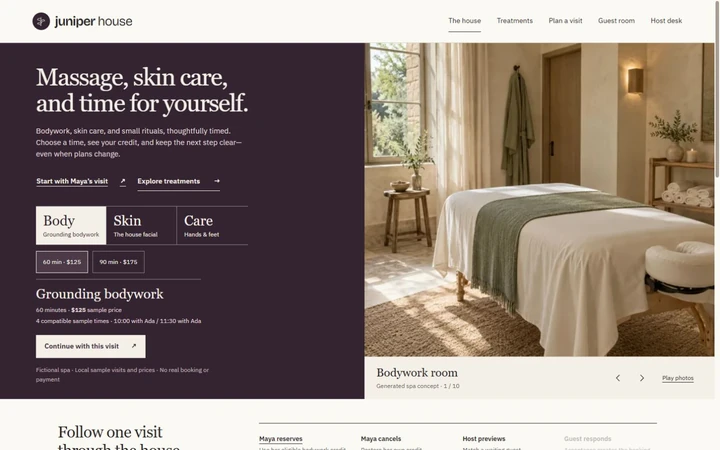
Juniper House working service experience

Juniper House

Day spa

Treatment choices, the visit plan and a newly open room

Explore ten original spa room studies, plan a treatment and carry that choice into the visit. Follow a cancellation through the host’s invitation to another guest’s separate response.
  • Choose Body, Skin or Care and see the visit note update
  • Carry the selected treatment and length into the planner
  • Follow cancellation, waitlist response and separate guest credits
Open the demo Fictional company and sample records. No real appointments, documents, payments or messages.
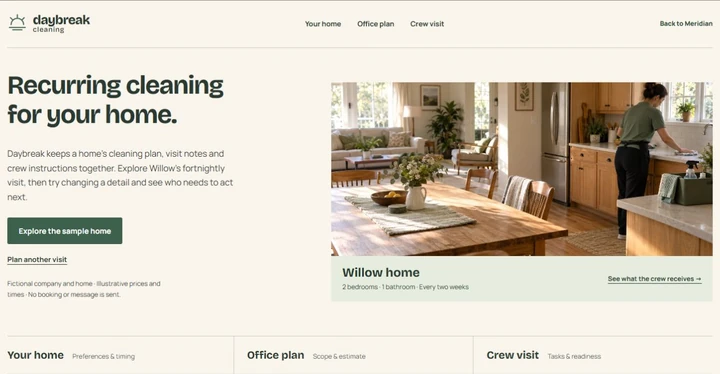
Daybreak cleaning company and the connected Willow home visit

Daybreak

Home cleaning

A home the office and next crew remember

Willow’s recurring visit is ready to explore. Change a customer note, time or cadence and see the calculated office plan and crew checks follow the same home.

  • Browse customer, office and crew work
  • Inspect the estimate or plan a separate visit
  • Prepare the crew brief and see changes reopen review
Open the demo Fictional company · sample prices and visits · nothing is booked or sent.

Product experiences

Show the product, make choices tangible and carry them into a brief.

Vector working demonstration

Vector

Product experience

Three bicycle builds with component choices

Three original bicycle builds, a cinematic collection and a showroom with component inspection and upgrade choices.
  • Watch the collection
  • Inspect components up close
  • Compare three bicycle builds
Open the demo Fictional concept · no live customer systems.
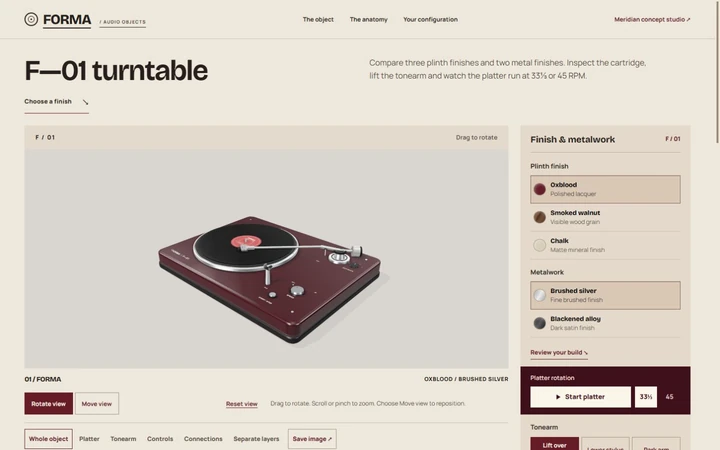
Forma turntable overview
Preview

Forma

Audio showroom

Turntable finishes and component inspection

Choose the materials, inspect the cartridge, lift or park the tonearm, then save a build sheet with your own notes. An original showroom built around the product itself.
  • Choose a finish and metalwork
  • Lift the stylus, park the arm and inspect the layers
  • Save the chosen configuration and your notes
Open the demo Fictional concept · no live customer systems.
Luma rendered overview
Preview

Luma

Lighting planner

Room lighting and material comparisons

An architectural room study connecting fixture, material and atmosphere choices to an editable project brief.

  • Compare rooms and fixtures
  • Change daylight and warmth
  • Download a project brief
Open the demo Fictional concept · no live customer systems.

What could work better around your existing tools?

We review the current setup first. A focused addition might be a better inquiry path, campaign creative with a clear handoff, or an application that puts your company’s rules into daily work.

Try the company extensions Search & website · Marketing & design · Custom application

Switch between three working samples. The controls use fictional records and keep approvals, exceptions and drafts visible.

Which task would you like to make easier?

Tell us what happens now, which tools are involved and what a useful next step would look like.

Start a conversation Prepare a project brief